


Marketing teams do not fail because of weak ideas; they fail because they can’t manage to scale execution. Leads arrive from forms, ads, and chats, but data lives across tools. So, updates come late, context gets lost, and revenue slows.
With n8n marketing automation, you can replace manual handoffs with automated marketing workflows that respond in real time. You control how data moves, when actions trigger, and how AI supports decisions. That means, no rigid templates, no per-task penalties. Just workflows that match how your business actually runs.
If you manage growth, RevOps, or marketing systems, this matters to you. This guide shows how n8n for marketing works in practice, where it fits, and how teams use it to run CRM, campaigns, and AI-driven decisions without chaos.
How does n8n marketing automation replace manual marketing operations?
Manual marketing operations break when volume increases. Leads arrive from many sources, but tools stay disconnected. So, teams need to copy data from different sources, monitor all dashboards, and chase updates.
No wonder errors creep in, response time slips, and you lose deals without noticing.
As a solution, n8n marketing automation replaces this chaos with a single automation layer that runs your workflows end-to-end:
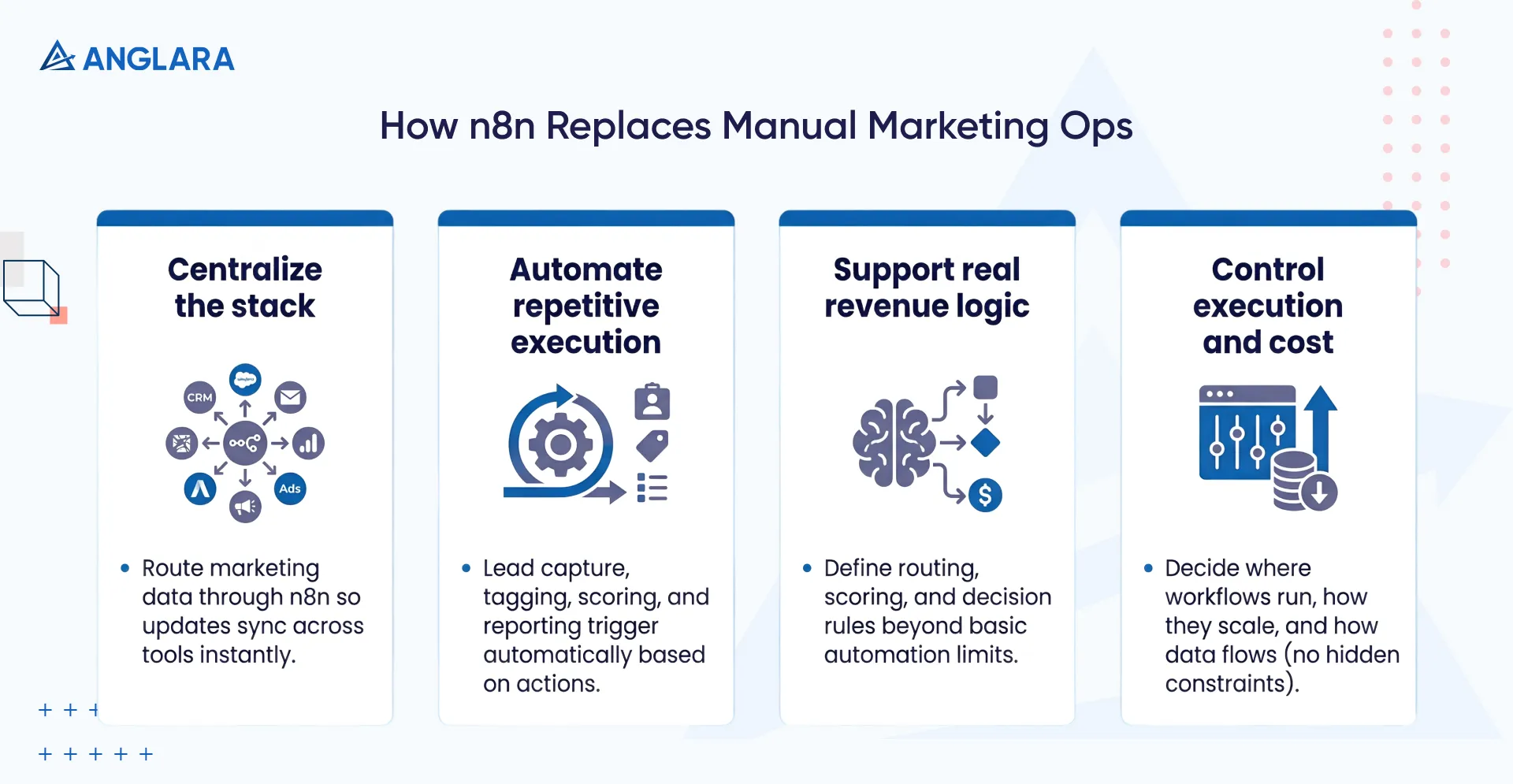
- Centralizes CRM, email, analytics, and ad platforms into one control layer:You route all marketing data through n8n, so updates sync instantly across tools without exports, imports, or delays.
- Eliminates repetitive campaign execution and CRM updates:Lead capture, tagging, scoring, and reporting trigger automatically based on actions, not reminders or follow-ups.
- Supports the logic that native marketing tools cannot handle:You define routing, scoring, and decision rules that match real revenue processes, not basic if-this-then-that limits.
- Gives you full control over execution, data flow, and costs: You decide where workflows run, how they scale, and how data flows, without usage penalties or hidden constraints.
What is an automated marketing workflow in n8n?
An automated marketing workflow in n8n is a set of rules that executes your marketing actions when something happens. A form submission, a CRM update, or an incoming webhook can trigger the workflow instantly. You no longer wait for batch syncs or manual checks. The system reacts in real time.
Each workflow follows the logic you define. It can check who the lead is, where they came from, what they did, and what should happen next. One flow can:
- Enrich data
- Score intent
- Route the lead
- Notify sales
- Update reports
All steps run in sequence without human input.
n8n lets you run complex, multi-step flows as one unit, even at scale. So, you also avoid breaking workflows into small pieces to manage usage. That makes automation predictable, easier to manage, and closer to how your marketing process actually works.
What are the most effective n8n marketing use cases for growth teams?
Growth teams use n8n when speed, accuracy, and scale start to matter more than manual control. The most effective use cases tie directly to revenue flow and decision timing. The following are some of the most common use cases we implement for clients with growing business marketing needs.
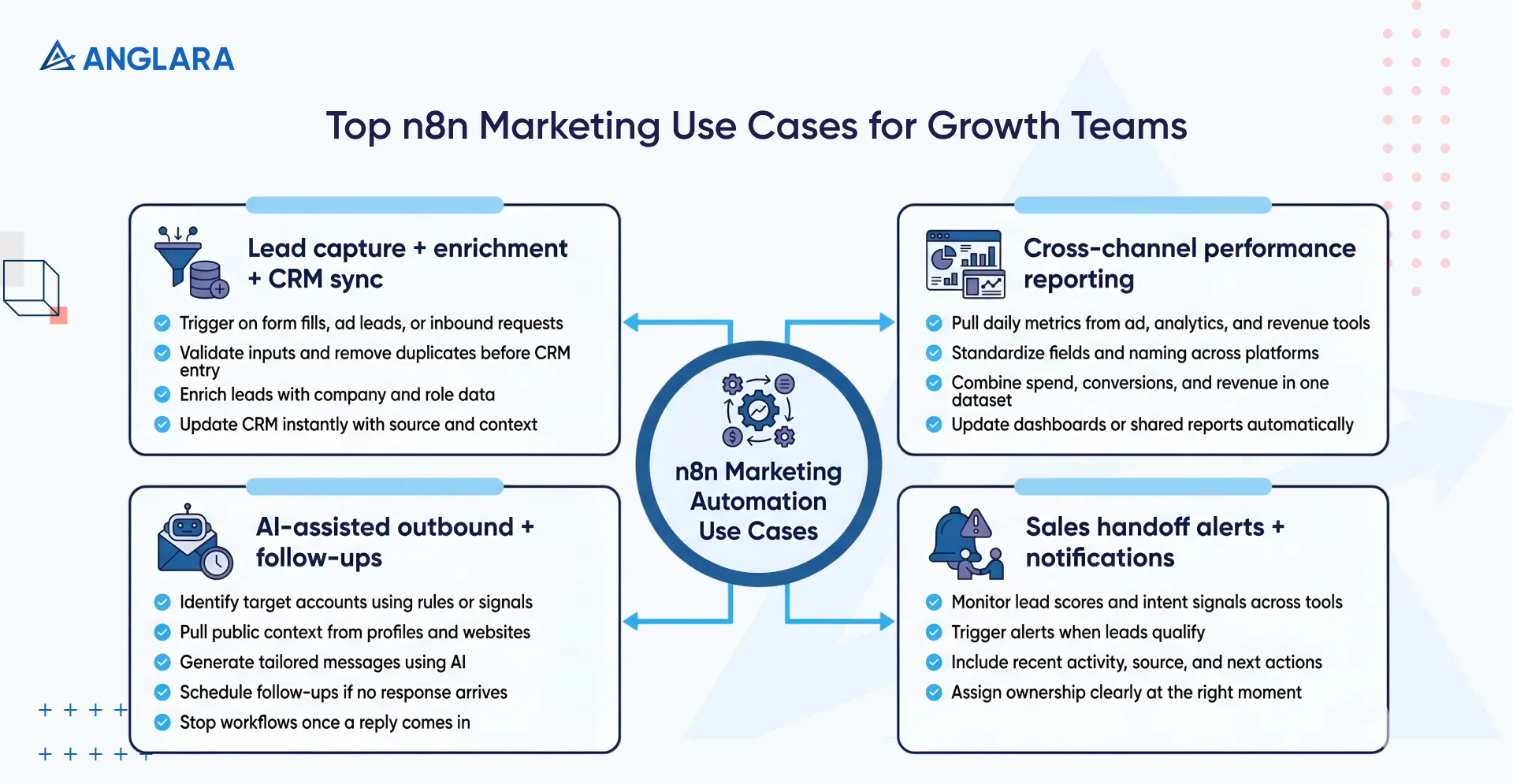
1. Automated lead capture, enrichment, and CRM synchronization
Growth teams use this to reduce response time and clean data at the source. Here’s what n8n automation does:
- Trigger workflows on form fills, ad leads, or inbound requests
- Validate inputs and remove duplicates before CRM entry
- Enrich leads with company and role data
- Update CRM records instantly with source and context
Sales start with complete information instead of chasing missing details.
2. Cross-channel campaign performance aggregation and reporting
This use case removes manual reporting and conflicting numbers. Here’s how n8n does it:
- Pulls daily metrics from ad, analytics, and revenue tools
- Standardizes fields and naming across platforms
- Combines spend, conversions, and revenue in one dataset
- Updates dashboards or shared reports automatically
You review performance in one place without manual checks.
3. AI-assisted outbound messaging and follow-up orchestration
Teams use this to scale personalization without extra effort. With n8n, you can:
- Identify target accounts based on rules or signals
- Pull public context from profiles and websites
- Generate tailored messages using AI
- Schedule follow-ups if no response arrives
- Stop workflows once a reply comes in
Outreach stays personal while volume grows.
4. Automated sales handoff alerts and internal notifications
N8n’s automated sales handoff alerts and notifications prevent leads from slipping through gaps. Here’s what it does:
- Monitors lead scores and intent signals across tools
- Triggers alerts when leads qualify
- Includes recent activity, source, and next actions
- Assigns ownership clearly at the right moment
Handoffs become clear, fast, and consistent.
How does n8n CRM automation improve marketing and sales alignment?
Misalignment between marketing and sales usually comes down to data gaps.
When updates move in one direction or arrive late, teams work from different versions of the truth. The n8n CRM automation fixes this by turning the CRM into a shared system of record that both teams trust.
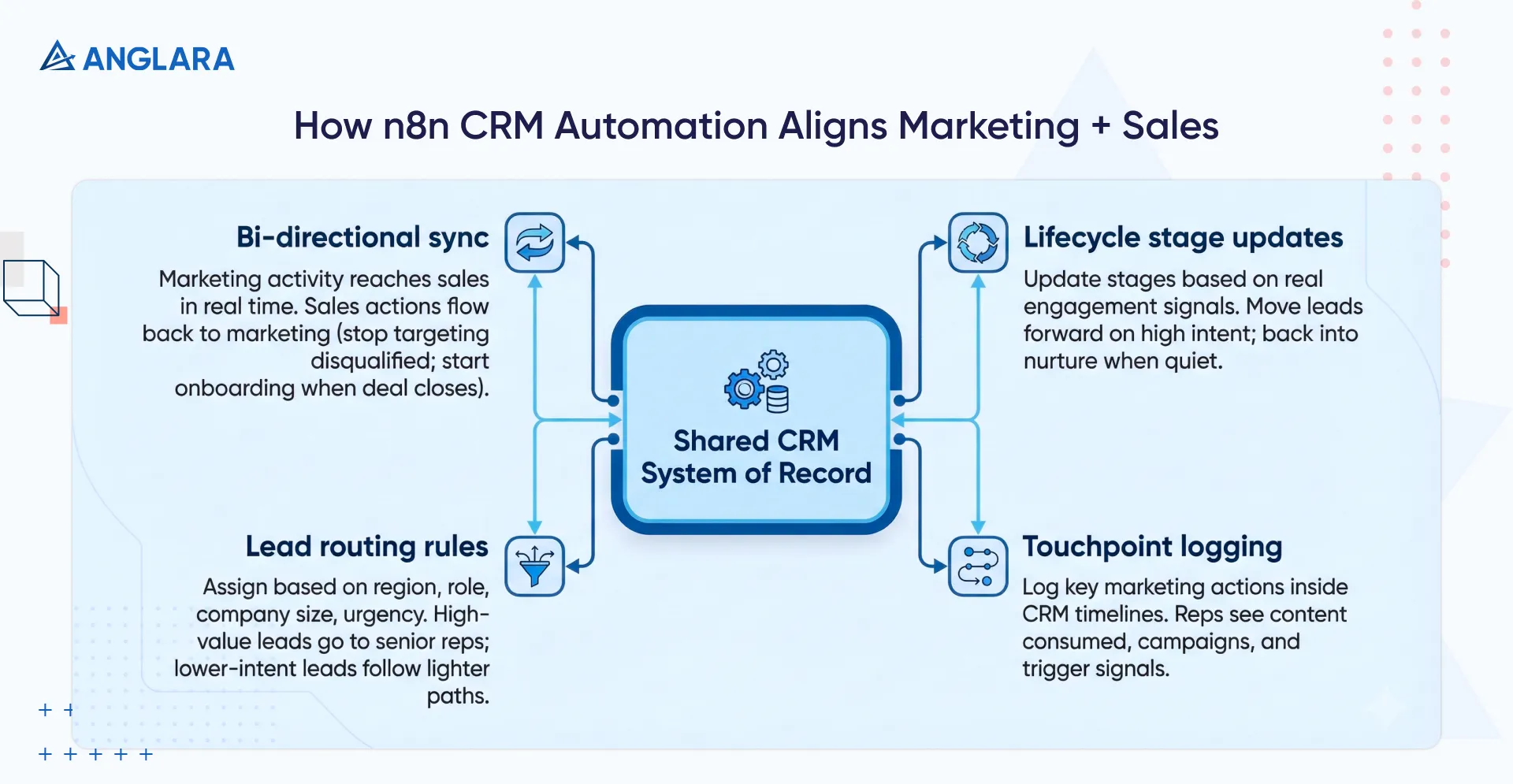
Bi-directional synchronization between marketing tools and CRM systems
n8n keeps data flowing both ways between your CRM and marketing tools. New leads, engagement activity, and campaign data reach sales in real time. At the same time, sales actions flow back to marketing.
- So, when a lead gets disqualified, marketing stops targeting them.
- When a deal closes, onboarding workflows start and acquisition campaigns stop.
Both teams see the same status without manual updates.
Automatic lifecycle stage updates based on real engagement signals
Lifecycle stages often lag behind reality. So, n8n updates stages based on what people actually do.
A lead who visits pricing pages or books a demo moves forward right away, and leads that go quiet move back into nurture automatically.
Your pipeline reflects real intent, not delayed manual edits.
Lead routing logic based on qualification, region, or priority
n8n routes leads using rules that match your revenue model. You can assign based on:
- Region
- Role
- Company size
- Urgency
So, high-value leads reach senior reps and lower-intent leads follow lighter paths. Therefore, ownership stays clear, even at high volume.
Centralized logging of marketing touchpoints inside CRM records
Sales works better with context, and n8n logs key marketing actions directly into CRM timelines. Reps see:
- What content a lead consumed
- Which campaigns drove interest
- What signals triggered outreach
And more.
With such insights, your marketing team ensures that conversations start informed, not cold.
How is n8n used for marketing automation with AI?
AI becomes useful in marketing when it works inside real workflows, not as a separate tool.
n8n lets you place AI directly into your automated marketing workflow so it supports decisions, content, and prioritization at the right moment. Here’s how to use n8n for AI marketing automation.
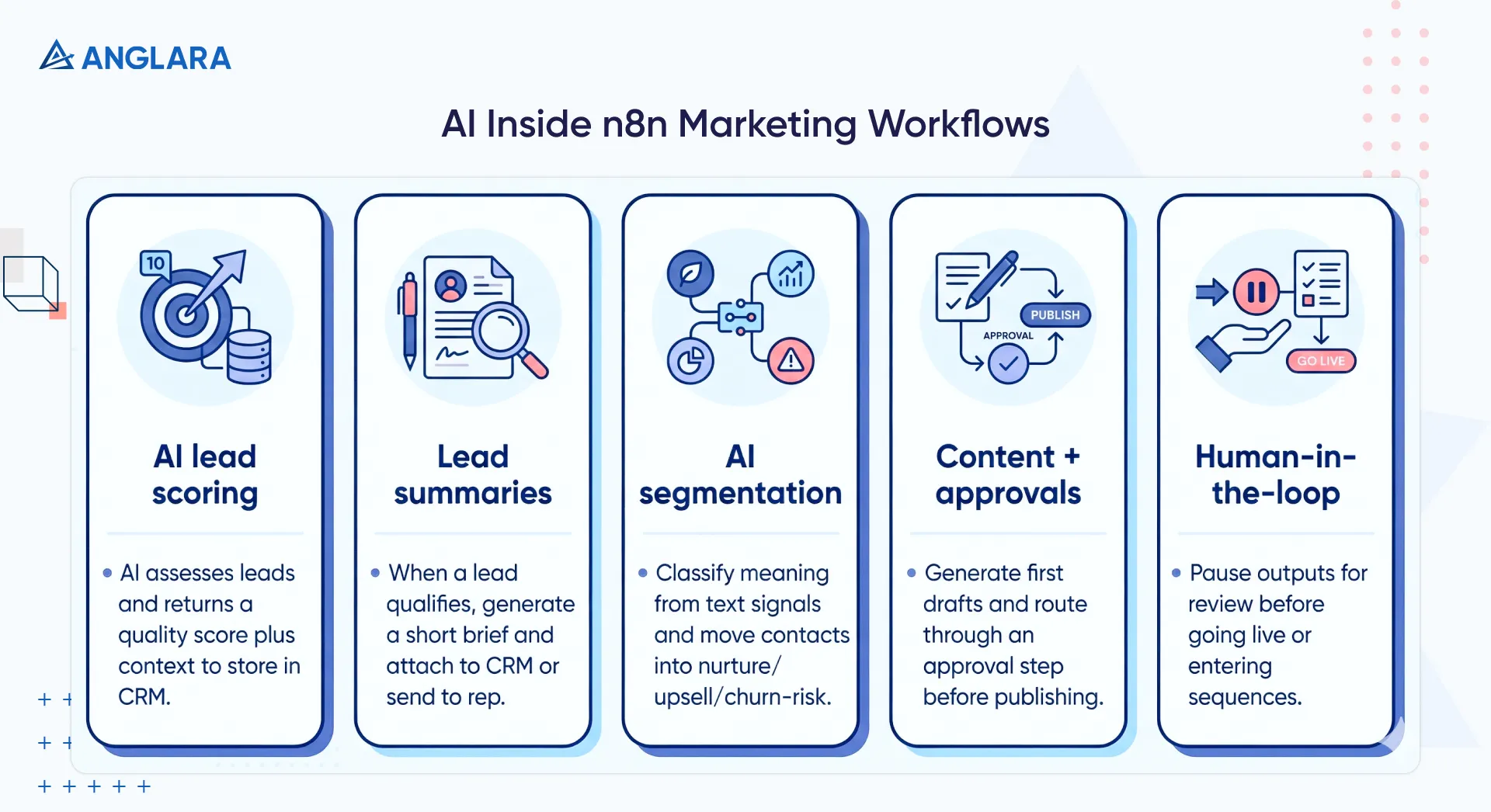
AI-powered lead scoring and prioritization
Instead of static point systems, you can use an AI model inside an n8n workflow to assess incoming leads based on company data, role, engagement, and intent signals.
The workflow sends lead details to the AI, which returns a quality score plus context you can store in your CRM. Sales knows who to contact first and why. This reduces guesswork and tightens handoffs between marketing and sales.
Automated lead summaries for faster sales context
A common real-life use case for n8n for marketing automation with AI is generating concise lead summaries automatically. As soon as a lead qualifies, a generative AI step reviews key profile details, recent behavior, and enrichment data, then produces a short brief.
That brief attaches to the CRM record or you can set an automation to direct it to the sales rep via Slack or email.
Reps don’t waste time researching before outreach.
Dynamic audience segmentation and intent detection
Workflows can use AI to group contacts based on meaning rather than fixed tags. For example, you might analyze survey text, responses from chat bots, or customer comments to detect high-intent signals.
The AI classifies and moves contacts into nurture, upsell, or churn-risk sequences automatically. This goes beyond simple rule matches and adapts to real signal patterns in your data.
Content generation and approval pipelines
n8n supports AI-assisted content creation within workflows. You can automatically generate first drafts of social posts, email copy, or campaign text using an integrated model. You can then route those drafts through an approval step before publishing.
There are templates that generate platform-specific content and even schedule it across channels with minimal manual steps.
Human-in-the-loop quality control
AI does the heavy lifting, but n8n keeps a human where it matters. You can design your flow so outputs pause for review before they go live or merge into campaign paths. This gives teams speed without losing control of messaging or brand voice.
These patterns show how you combine n8n with AI inside real, operational workflows so automation becomes strategic, not just reactive.
How should teams handle n8n workflow export for marketing operations?
As marketing automation grows, workflows start to behave like an AI software. Teams edit logic, test changes, and scale volume.
So, without a clear export process, even small updates can break live campaigns. The n8n workflow exports gives you control, safety, and repeatability.
Use exports for backup, recovery, and environment separation
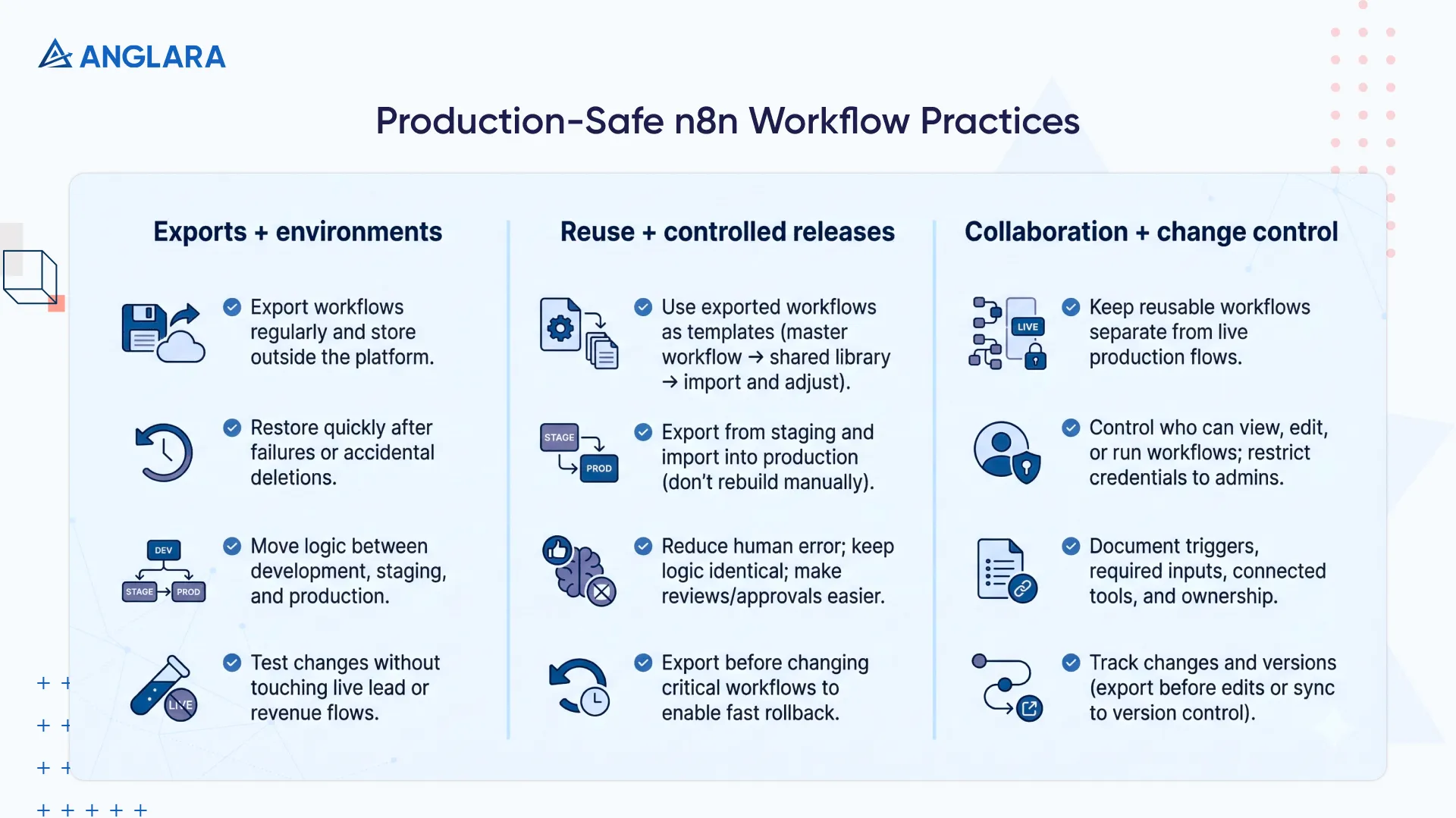
Every n8n workflow exists as a JSON file. Teams should export workflows regularly and store them outside the platform.
These exports help you:
- Restore workflows quickly after failures or accidental deletions
- Move logic safely between development, staging, and production
- Test changes without touching live lead or revenue flows
This removes the risk of experimenting in production.
Reuse proven workflows across campaigns and teams
Exported workflows act as templates. Once a lead capture or webinar flow works well, you can reuse it.
Teams often:
- Build a master workflow with standard checks and rules
- Export it to a shared library
- Import and adjust only campaign-specific details
This keeps logic consistent while allowing flexibility.
Promote workflows from staging to production safely
Teams should never rebuild workflows manually across environments. Instead, they export from staging and import into production.
This approach:
- Reduces human error
- Keeps logic identical across environments
- Makes reviews and approvals easier
Marketing changes become controlled releases, not risky edits.
Reduce risk during iteration and scaling
Before changing a critical workflow, teams export the current version. If a new version causes issues, this export allows them to roll back in minutes.
Workflow export also allows:
- Load testing before large campaigns
- Version naming for traceability
- Faster recovery during incidents
As volume grows, this discipline keeps operations stable and predictable.
How can teams safely share n8n marketing workflows internally?
As more people start building workflows, control becomes just as important as speed. Without clear rules, teams overwrite logic, expose credentials, or break live automations.
Here are workflow practices help teams collaborate without losing stability.
- Keep reusable workflows separate from live production flows: Treat shared logic as templates that teams copy before editing, not systems they change directly.
- Control who can view, edit, or run workflows: Limit edit access to builders and keep credentials restricted to admins.
- Document what each workflow expects and changes: Call out triggers, required inputs, connected tools, and ownership so others can understand the flow without guesswork.
- Track changes and versions: Export workflows before edits or sync them to version control so teams can review updates and roll back fast if something breaks.
What does an n8n marketing automation implementation involve?
An n8n marketing automation setup is not just about building workflows. It is about designing systems that teams can trust, scale, and maintain.
A good setup focuses on clarity, control, and long-term use. Here’s what an n8n marketing automation implementation by Anglara involves:
- Discovery and workflow prioritization: We start by mapping how your marketing and sales teams actually work. We identify manual steps, data gaps, and delays that hurt response time or revenue. From there, we shortlist workflows that deliver clear impact first.
- System and data readiness review: We review your CRM, marketing tools, analytics stack, and data quality. This helps us confirm what signals exist, what APIs we can use, and where cleanup is required before automation starts.
- Workflow design and logic modeling: We design workflows that reflect real business rules, not generic templates. Routing, scoring, and decision logic follow how your teams operate today and how you plan to scale.
- Secure integration setup: We connect tools using restricted API access so workflows only touch what they need. This keeps data safe and prevents accidental changes outside defined boundaries.
- Error handling and operational guardrails: We build checks for missing data, failed requests, and volume spikes. When something breaks, the workflow alerts the right people with clear context instead of failing quietly.
- Testing, rollout, and ownership: We test workflows in a controlled setup before moving them live. Every workflow ships with documentation and a clear owner so your automation stays reliable as processes evolve.
At Anglara, we treat n8n as one part of a larger system. Our AI business consulting helps you decide where automation and AI create real value, not noise. Connect with us to start discussing your plans for AI in 2026.
How does Anglara deliver n8n marketing automation services?
At Anglara, we deliver n8n marketing automation as an operating system, not a collection of disconnected workflows.
Our focus stays on clarity, control, and long-term use.
Every decision we make ties back to how your teams work today and how your growth engine needs to scale tomorrow. This approach helps you move faster without losing visibility, data trust, or ownership of your marketing systems. Here’s what we deliver:
- Workflow design tied to revenue outcomes: We do not automate for the sake of activity. We design workflows around clear goals like faster lead response, cleaner pipelines, and better handoffs between marketing and sales.
- AI-ready automation architecture: We build workflows that support AI from day one. Lead scoring, summaries, segmentation, and approvals fit directly into your automated marketing workflow without bolted-on tools.
- Deep stack-level integration: We connect n8n tightly with your CRM, analytics, marketing platforms, and data sources. Every workflow respects how each system works so data stays consistent and usable.
- Production-first delivery: We treat workflows like software. Each one includes error handling, logging, testing, and documentation before it goes live.
- Ongoing monitoring and refinement: We stay involved after launch. We review execution, tune logic, and adapt workflows as your volume, tools, or goals change.
What is the next step to implement n8n marketing automation?
If manual work still drives your marketing operations, automation is no longer a nice-to-have. The real shift happens when workflows stop reacting late and start responding in real time.
The n8n marketing automation gives you that control, but results come from applying it with intent, not by wiring tools together at random. The right next step is to identify where effort, delays, or data gaps hurt growth today. These are usually lead handoffs, reporting, enrichment, or follow-ups. From there, focus on one or two workflows that remove friction and show impact fast.
This builds trust in automation while setting the foundation for deeper, AI-driven workflows later.
At Anglara, we help you move from ideas to working systems. We assess your tools, data, and goals, then design workflows that fit how your teams actually operate. If you want to explore what n8n can replace, simplify, or scale in your marketing stack, schedule a free discovery call with Anglara. We will help you define the right starting point and a clear path forward.
